

If you’ve been staring at the HP website for hours trying to figure out which laptop to buy, you’re not alone. I’ve been there too. Between all the model names, specs, and deals, it can get overwhelming fast. You see names like HP Spectre, Omen, Envy, and now the new OmniBook, and you start wondering if you need a tech degree to figure it all out.
So I did some digging, testing, and asking around. Here’s my honest breakdown of what’s out there in 2025 — and which HP laptop I’d actually go for depending on what you need it for.
First, Let’s Talk About the New Names
In case you haven’t checked recently, HP has been changing things up. In 2025, they’ve introduced a new family of laptops called the OmniBook series. It replaces some of the older names like Pavilion and Envy.
So now, here’s the basic breakdown:
- HP Spectre – Premium, sleek, lightweight. Good for creatives and professionals.
- HP Omen – Gaming-focused, high-performance, with dedicated GPUs.
- HP OmniBook – Mid-range to high-end, versatile, now replacing Pavilion and others.
- HP EliteBook / ProBook – Mainly for business users.
- HP Chromebook / Stream – Budget-friendly, for light tasks or students.
Knowing where these fit makes it easier to narrow things down.

If You Just Need a Reliable Everyday Laptop
Let’s say you’re not editing videos or playing heavy games. You just need a solid machine for work, streaming, browsing, and maybe a little light photo editing. For that, I’d go with the HP OmniBook X.
It’s one of HP’s newer models for 2025 and comes with Qualcomm’s new Snapdragon X processor. It’s fast, quiet, has great battery life (we’re talking 16+ hours), and stays cool even when you’ve got 15 tabs open. Plus, it’s fanless, which I didn’t think I’d care about, but now I notice how nice the silence is.
This one starts around £800 depending on the config, and I honestly think it gives you great value.
For Students or Anyone on a Budget
If you’re a student or just want something cheap that works well for basic tasks, look at the HP Chromebook x360. It’s not fancy, but it’s lightweight, the battery lasts all day, and it’s perfect for Google Docs, Zoom, and YouTube.
It runs ChromeOS instead of Windows, so you can’t install all regular apps, but most people doing day-to-day stuff won’t need more than this.
This one usually goes for under £400, and there are regular sales on the HP Store UK.
For Creators or Heavy Multitaskers
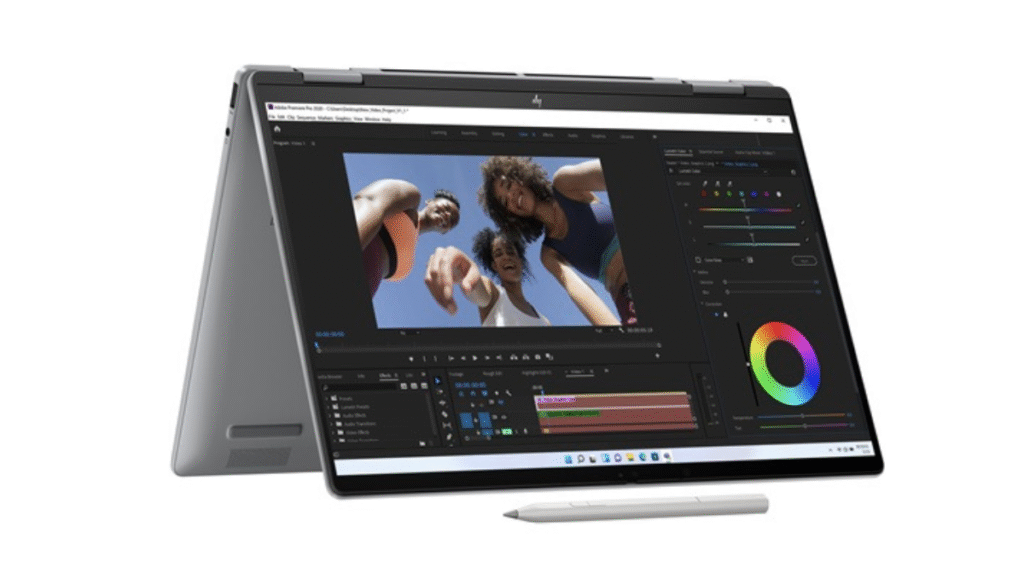
If you’re working with video, graphics, or large spreadsheets, the HP Spectre x360 14 is the one I’d choose. It’s a 2-in-1, so you can flip the screen around and use it like a tablet too. The display is one of the best I’ve seen on a laptop — bright, colourful, and perfect for editing.
This one comes with Intel Core Ultra chips in 2025, and the battery still lasts close to 12 hours, even with that power. It’s not the cheapest option, but for the build quality and screen, I think it’s worth it.
Want to Game? Go Omen
If gaming is your main use, check out the HP Omen 16. It’s built for that. It’s got a dedicated RTX 4060 or 4070 GPU (depending on what you choose), and the cooling system is way better than older models.
It’s not the lightest laptop, and the battery doesn’t last long off power, but for gaming performance, it’s solid. You’ll find it for around £1,200 and up.

So… What Would I Pick?
Personally? I’d go with the HP OmniBook X. I don’t need a gaming laptop, but I do work online all day, and I want something light, fast, and quiet. It feels like that perfect balance between performance and portability, and it doesn’t break the bank.
If I were doing more creative work, I’d stretch for the Spectre. If I were gaming, I’d go for the Omen. But for most people — like myself — the OmniBook just makes the most sense in 2025.
Final Thoughts
HP’s lineup used to be a bit confusing, but the 2025 refresh actually makes it easier to choose. Think about what you’ll really use your laptop for day to day, and don’t overspend for features you won’t use.
Hope this helped you narrow things down.
And hey — if you’re still stuck, feel free to drop a comment or message. I’ve been down the rabbit hole already, so I’m happy to help.